Your daily command center
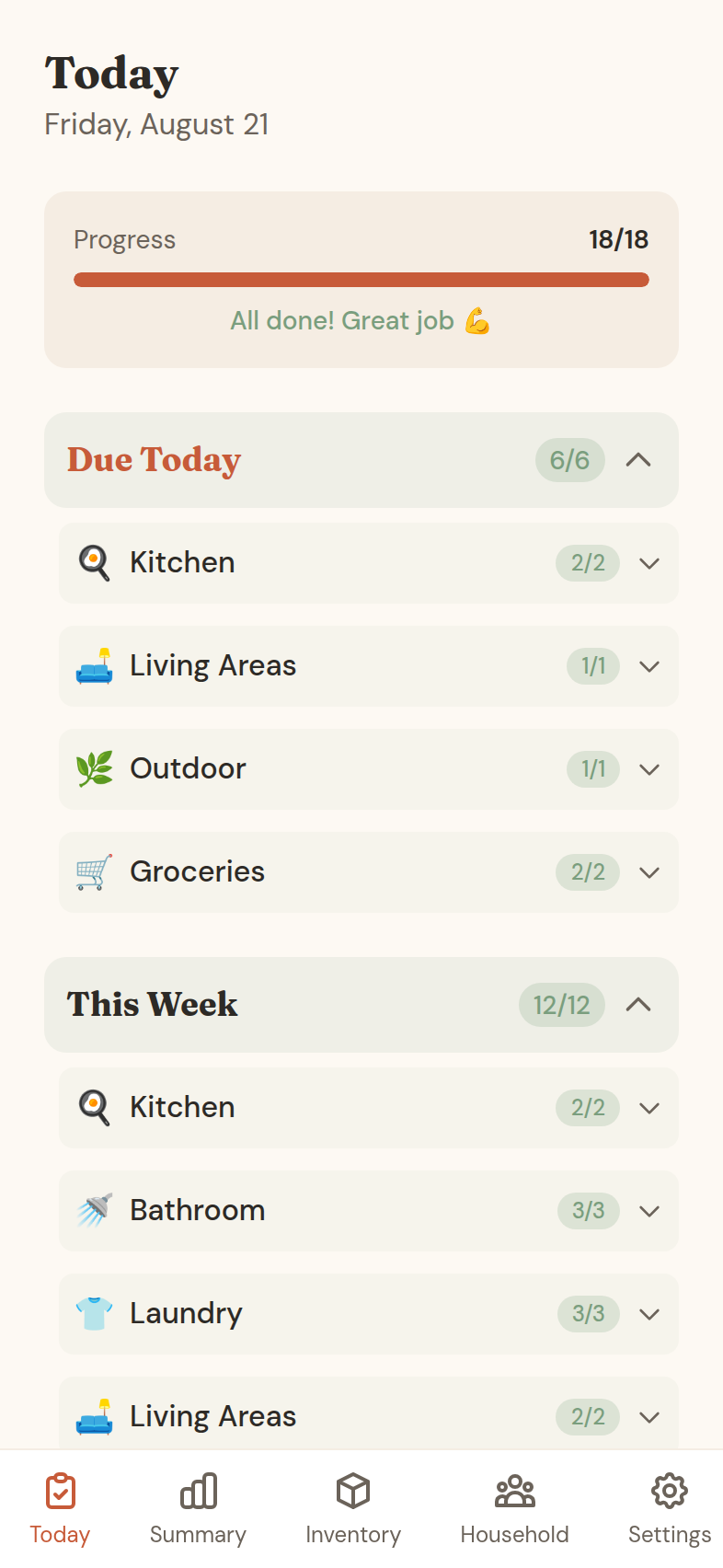
The Today screen shows exactly what needs doing across your departments, grouped by department and organised by frequency.
Check things off as you go. Skip what you can't do today, or defer it to a specific date. The app tracks all of it.
- Tasks grouped by department
- Daily, weekly, monthly and quarterly scheduling
- Progress bar shows your completion rate
- Skip or defer tasks with optional notes
- Add photo proof for completed tasks
Track your progress weekly
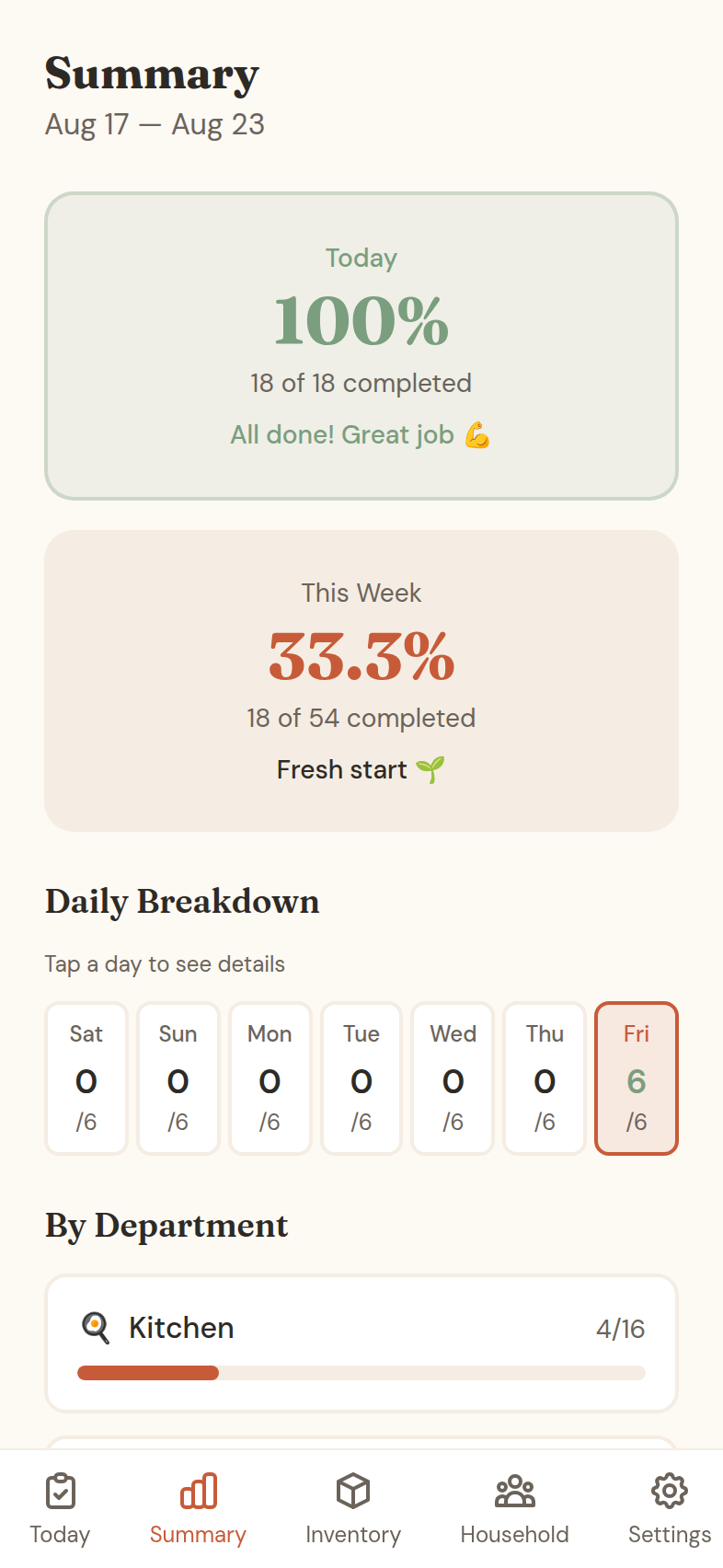
The Summary screen shows how you're doing over time: weekly completion rate, a daily breakdown, and performance by department.
Tap any day to see what you completed, skipped, or deferred. No judgment, just data you can act on.
- Weekly completion percentage
- Day-by-day visual breakdown
- Department-wise performance
- Skip pattern analysis
Share ownership with your partner
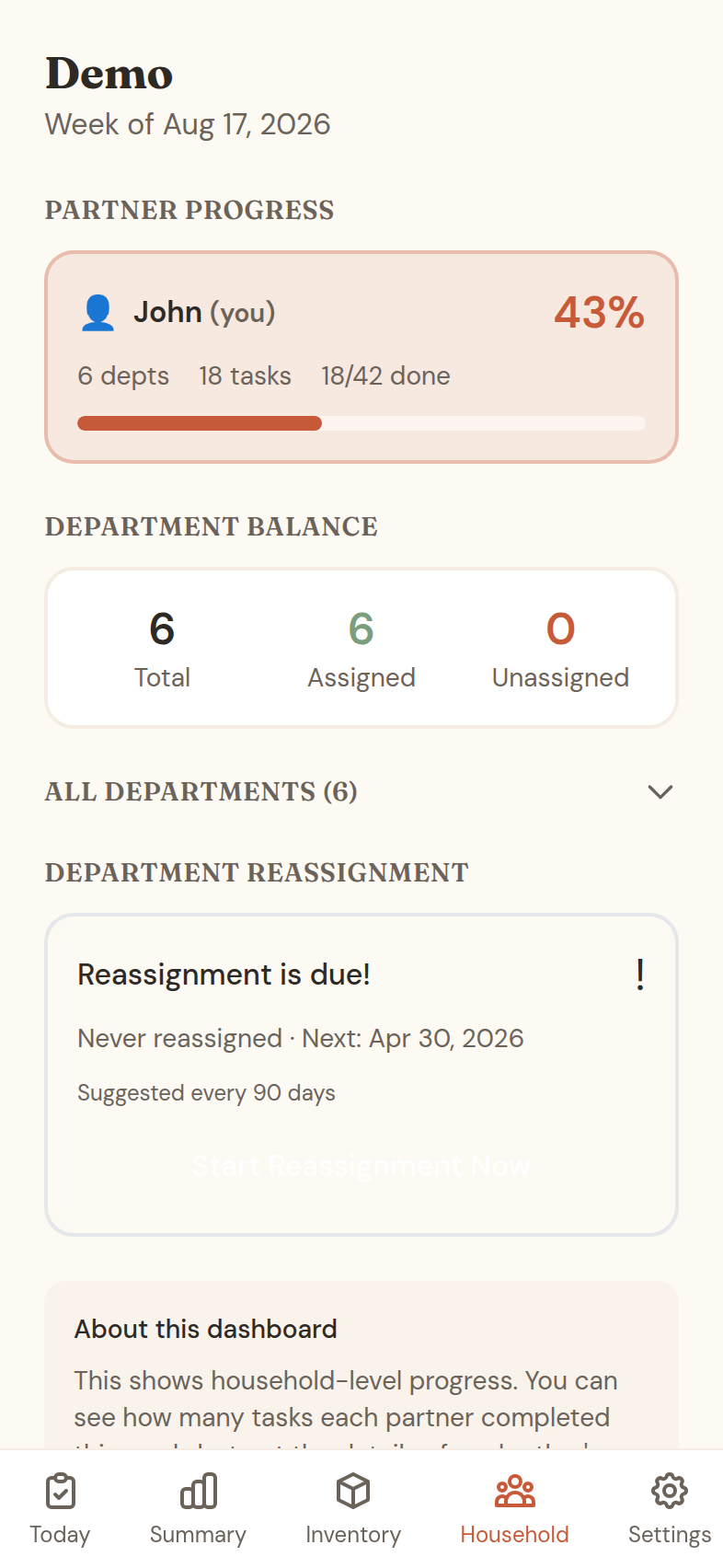
Household mode lets two partners divide departments fairly. Each person fully owns their own departments, and neither can nag the other through the app.
The dashboard shows both completion rates, how the workload balances, and recent activity. When life changes, run a reassign session and redistribute.
- Partner joins free with an invite code
- Department assigning session
- Workload balance at a glance
- Reassign sessions when life changes
- Agreed standards for what “done” looks like
Never run out of essentials
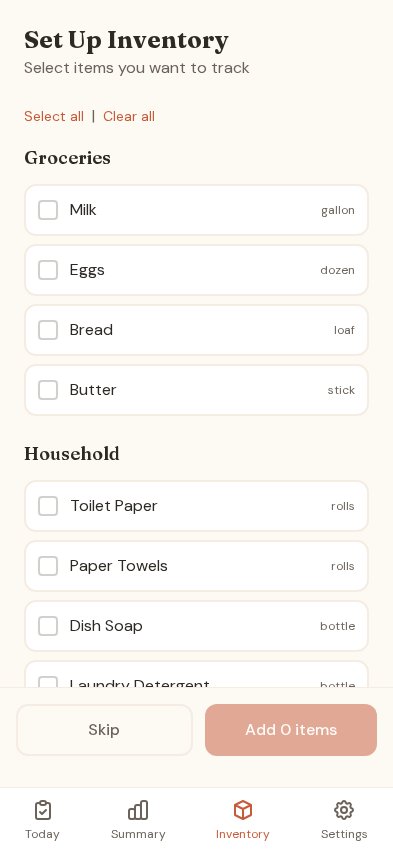
Track household supplies in Inventory. Set low-stock thresholds and the app creates restock tasks when something runs low.
Adjust quantities with the +/− buttons. Complete a shopping task and the inventory updates itself.
- Items organised by department
- Status badges: In Stock, Low, Out
- Auto-creates restock tasks when low
- Shopping tasks update inventory automatically
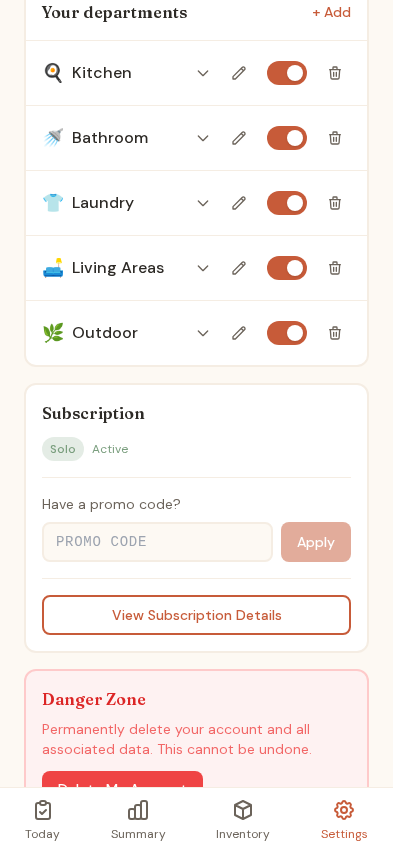
Customise your departments
Create departments that match your household. Add chores with flexible scheduling: daily, weekly, monthly or quarterly.
Set notification times per department — morning for the kitchen, evening for tidying — and toggle anything on or off.
- Create custom departments with an emoji
- Add chores with flexible frequency
- Per-department notification times
- Toggle chores and departments on or off
- Edit or delete anytime
More features
Everything you need to own your household responsibilities, nothing you don't.
Flexible scheduling
Daily, weekly, monthly or quarterly tasks. Optionally set specific days. Tasks appear when they're due.
Conflict prompts
Alerts when completion drops, workload is imbalanced, or tasks get skipped repeatedly. Prompts a check-in conversation.
Vacation mode
Going away? Skip your tasks or transfer departments to your partner temporarily. They have to accept first.
History and export
View completions over any date range. Filter by department or partner. Export to CSV for your records.
Smart notifications
Different reminder times per department. Morning for the kitchen, evening for tidying. Repeats until it's done.
Works offline
Install it to your home screen. Works offline and syncs when you reconnect, so your tasks are always with you.